How to record snoring on iPhone (free, tonight)
Short version: you don't need to buy anything. The microphone in your iPhone is good enough to catch a whole night of snoring, and there are two ways to use it. Voice Memos, which is already on your phone, or a snore recorder app that listens for you and skips the silence. This guide covers how to record snoring on iPhone both ways, where to put the phone so the recording is actually usable, and what to look for when you play it back in the morning. If you would rather skip the manual route, Snorely is free to download and takes about two minutes to set up.
Option 1: Voice Memos (free, already on your phone)
It works. For a one-off "do I snore at all?" check it is honestly fine. The trick is doing it in a way that leaves you with a file you can actually use, rather than eight hours of hiss you give up on by the second coffee.
- Leave the quality on Compressed. Settings, then Voice Memos, then Audio Quality. Lossless sounds nicer but a full night of it takes a big bite out of your storage for no benefit. You are listening for snores, not mastering an album.
- Turn on a Sleep or Do Not Disturb Focus and plug the phone in. Voice Memos keeps recording with the screen locked, but an incoming call will interrupt it, and notification sounds end up in the recording. A charger makes battery a non-issue.
- Put the phone on the nightstand, about an arm's length from your head. The microphone is on the bottom edge, so point that end toward you. Not under the pillow (muffled), not on the far side of the room (too quiet), not in a drawer.
- Tap record, lock the phone, sleep. In the morning, tap stop and give the recording a name with the date, because you will want to compare nights later.
What you get is one file, seven or eight hours long, and most of it is nothing. To find the snoring, drag slowly along the waveform and look for tall spikes that repeat in a steady rhythm, roughly one per breath, for minutes at a time. A cough, a door or a truck outside shows up as a single spike and then goes quiet again. The wand icon (Enhance Recording) cuts some background noise, and you can trim a loud stretch and share it with a partner or a doctor. Expect to spend a good chunk of a morning on this the first time. That is the real cost of the free method: not money, but your attention, every single day you want an answer.
Option 2: a snore recorder app (the version that does the work for you)
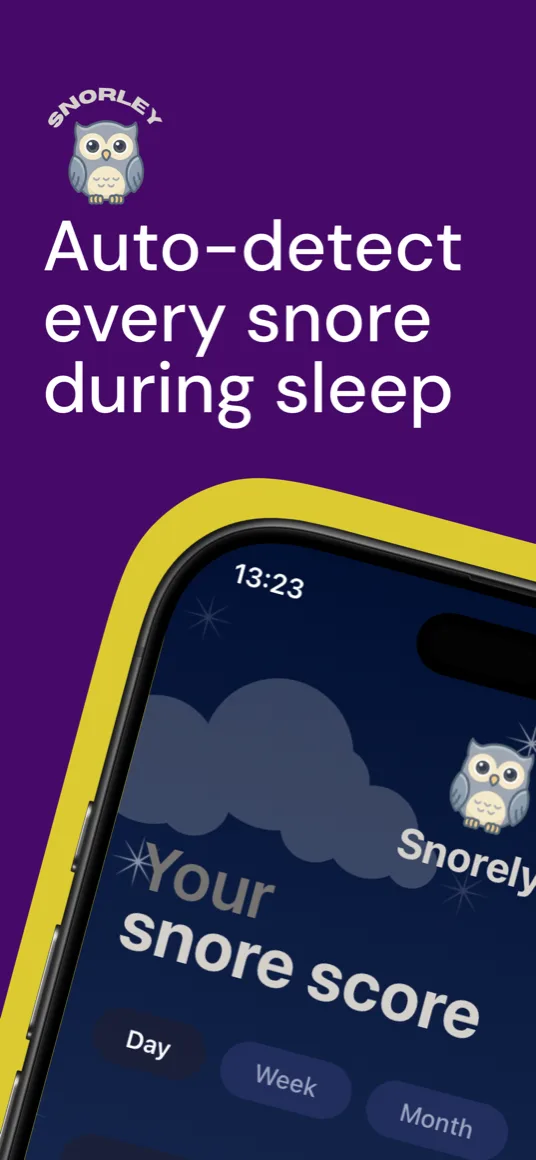
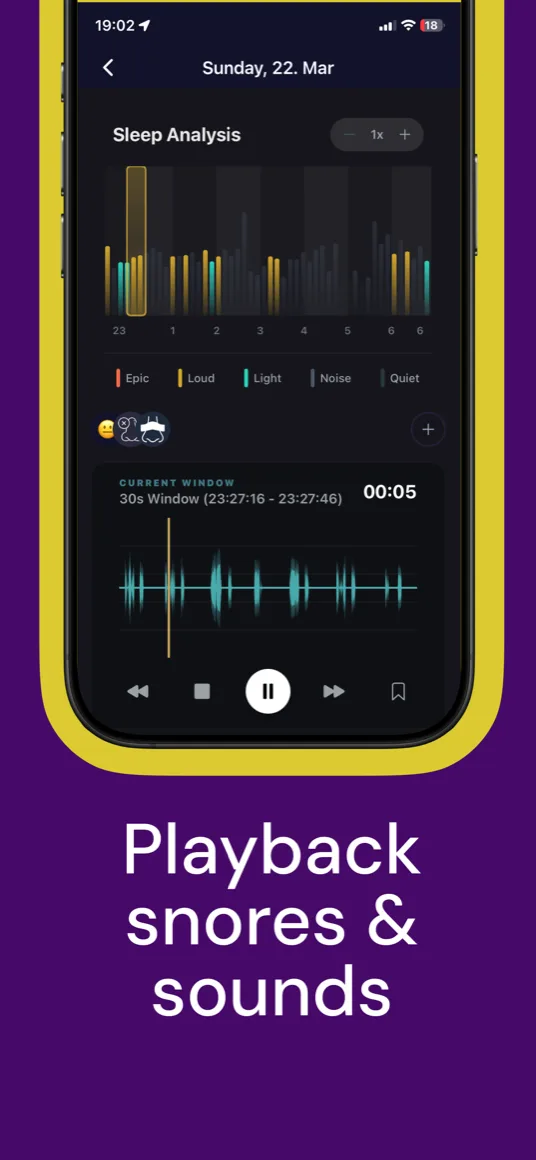
A dedicated snoring app listens all night and does the tedious part while you sleep. It detects each snore, ignores the silence, measures how loud each stretch was, and turns the night into something you can read in ten seconds. With Snorely you wake up to a Snore Score from 0 to 100, an hour-by-hour chart showing when you snored and how loud it got (the app labels stretches from light to loud to epic), and the audio clips to back it up, with playback that jumps straight to the loud moments.
Five things worth checking in any snore app
There are a lot of snore apps on the App Store and most of them look the same in the screenshots. These are the differences that matter once you are actually using one, and they double as a checklist for judging Snorely too.
- Detection happens on the phone. A recording of you asleep should not need to travel to a server to be analysed. Snorely runs its snore detection on-device.
- It tells you how loud, not only how often. Twenty light snores and twenty epic ones are very different nights. You want intensity, not just a count.
- Playback jumps to the events. If you still have to scrub through hours of audio, you have paid for Voice Memos with extra steps.
- You choose how much audio to keep. Sometimes you want the full night as evidence, sometimes you just want the numbers. Snorely offers full recording or Smart Sampling, which keeps the detections and saves storage.
- The free tier actually lets you record. Read what is free before you rely on an app. With Snorely you can download it, record a night, get your Snore Score and see your first insights for free. A premium plan unlocks deeper trends, unlimited history and remedy tracking.
The two-minute setup for a clean recording
- Plug in your phone. All-night listening is easier on the battery than you would think, and the charger removes the question entirely.
- Nightstand, arm's length, microphone toward you. Same placement as the Voice Memos method. Distance matters more than the exact angle.
- Start the session and sleep normally. If you like falling asleep to sound, pick a soundscape with a sleep timer (up to 90 minutes). Recording starts on its own when it fades out. Lock the phone as usual; the Live Activity on the lock screen shows it is still listening.
- In the morning, read the night. Your score, the loud stretches, and the clips worth hearing. That is the whole routine.
What about privacy and battery?
A fair question for any app that listens while you sleep. Snorely runs its snore detection on your phone, so your audio stays with you. You choose between full recordings and storage-saving Smart Sampling, and any night deletes with a tap. On battery: the app is built for all-night use, but keep the phone on its charger anyway. There is no reason to make the morning more interesting than it needs to be.
So that is the manual route and the app route. One costs you a morning of scrubbing through audio every time you want an answer; the other costs you two minutes once. Snorely does the same job you would do by hand, finding the snores, judging how loud they were and lining up the clips, and has it waiting for you when you wake up.
How is Snorely different from SnoreLab and the others?
Most snore apps are good recorders, and SnoreLab, the best known, also lets you log remedies and lifestyle factors. Where Snorely leans in is what happens with that log. You note factors (a glass of wine, a late meal, sleeping on your back) and remedies (nasal strips, a mouthpiece, mouth tape), including custom ones, and the app ranks them by how much they moved your score. Instead of a diary of loud nights you get a list of what actually quiets yours, plus a PDF report you can hand to a doctor. If you want the full picture, we compared five apps on the same criteria in best snoring apps for iPhone, and if you are already on SnoreLab and weighing a move, read what to check before you switch.
What to do with your first recording
One night answers "do I snore?" (if you are still at that stage, our guide on how to know if you snorecovers the clues to look for before you even press record). A week starts answering "why?", because that is when patterns show up: worse after a couple of drinks, worse on your back, better with the window open. Our guide to the 7 most common causes of snoring helps you read those patterns, and this one on remedies is where to go once you want to test something. If what you hear on the recording includes gasps, choking sounds or long silent pauses, read snoring vs sleep apnea. That is a conversation for a doctor (the NHS page on snoring lists the signs to watch for), and your recordings will make it a much better one. Snorely is a wellness tool, not a medical device, and nothing here is a diagnosis.
Frequently asked questions
Can I record snoring with Voice Memos on iPhone?
Yes. Open Voice Memos, tap record, put the phone on the nightstand and stop it in the morning. You get one long file with no snore detection, so you have to scrub through it yourself. It is fine for a one-off check. If you want to know why you snore and whether anything helps, a snore app that finds the snores for you saves a lot of mornings.
Is there a free app to record snoring on iPhone?
Yes. Snorely is free to download. You can record a night, get your Snore Score and see your first insights without paying anything. A premium plan unlocks deeper trends, unlimited history and remedy tracking. No wearables, no account gymnastics, just your phone on the nightstand.
Does the iPhone or Apple Watch detect snoring on its own?
No. The iPhone has no built-in snore detection, and the Health app does not record audio. Newer Apple Watch models can notify you about possible breathing disturbances over time, which is a different thing from snoring. Snorely runs on iPhone and iPad and does the listening through the phone's microphone. There is no Apple Watch app. If breathing pauses are what you are worried about, read snoring vs sleep apnea.
Where should I put my iPhone to record snoring?
On the nightstand, about an arm's length from your head, with the bottom edge of the phone (where the microphone is) pointing toward you, and plugged in. Not under the pillow, not in a drawer, not across the room. If you sleep on your side, the side you face matters less than the distance. Position does change how much you snore, though, and this guide covers that.
How do I know if I snore if I sleep alone?
Record one night. Dry mouth in the morning, a sore throat or feeling unrested are clues, but none of them is proof. A recording is. We go through all the clues, and what to ask a partner, in our guide on how to know if you snore. If what you hear includes gasps, choking sounds or long silent pauses, that is worth a conversation with a doctor.